
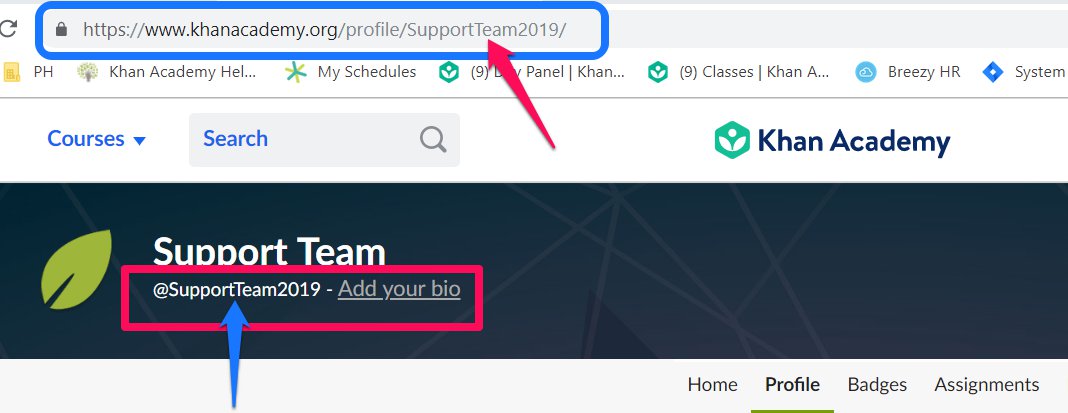
If you are logged in to your account, you can find your username on your profile.
In addition, the web address for your profile contains your username.
For example: If the web address is (www.khanacademy.org/profile/SupportTeam2019/) - your username is SupportTeam2019.
To find the username for any student you are coaching, follow these directions:
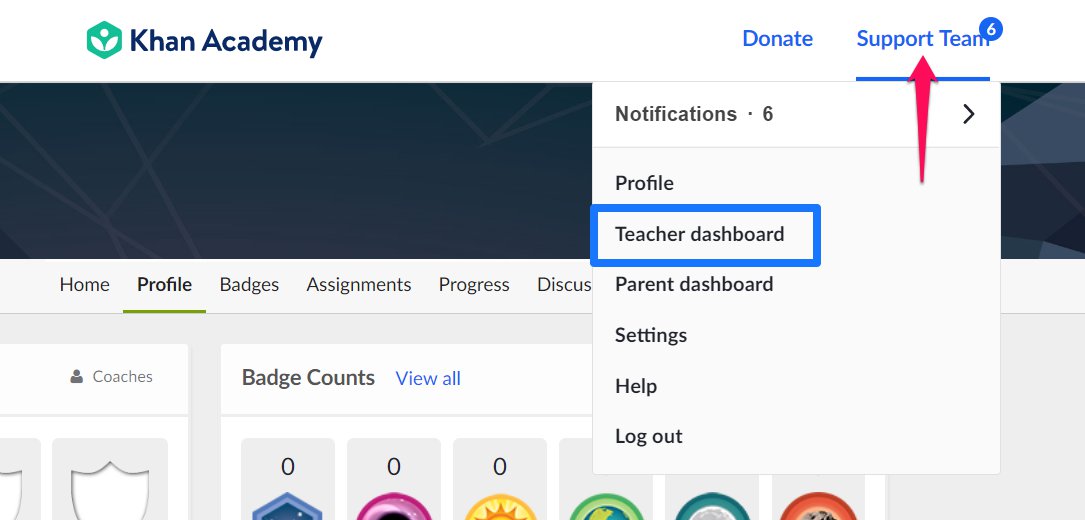
- Click your name at the top right of the screen. A menu will open.
-
Click the Teacher Dashboard.
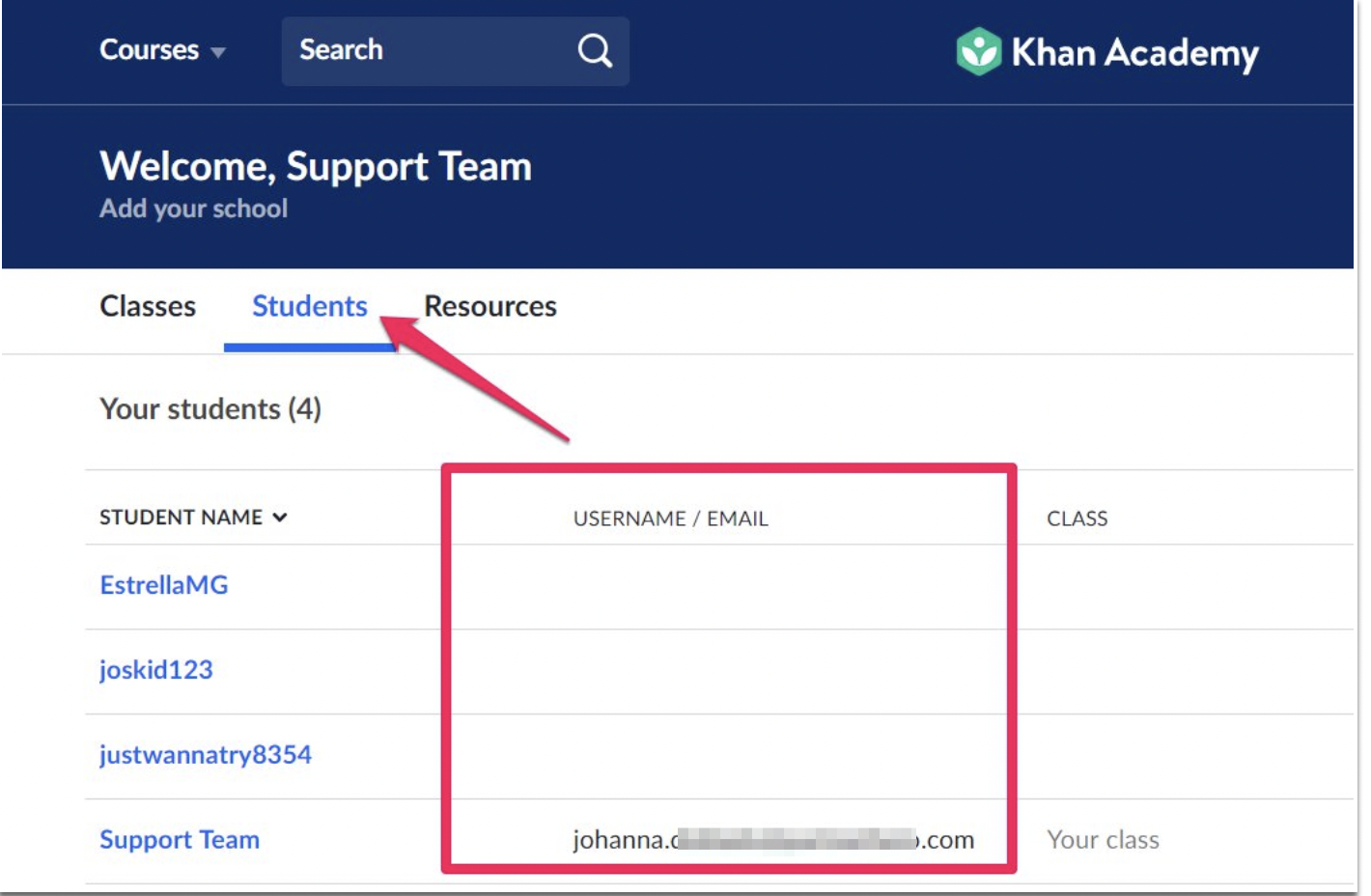
- Click Students.
- Click the name of the appropriate student.
- The student’s profile will appear. If the student has a username, it will appear at the top of his/her profile after the @ symbol.
- Additionally, the address for this profile contains the student’s username.
See also:
Comments
0 comments
Article is closed for comments.