
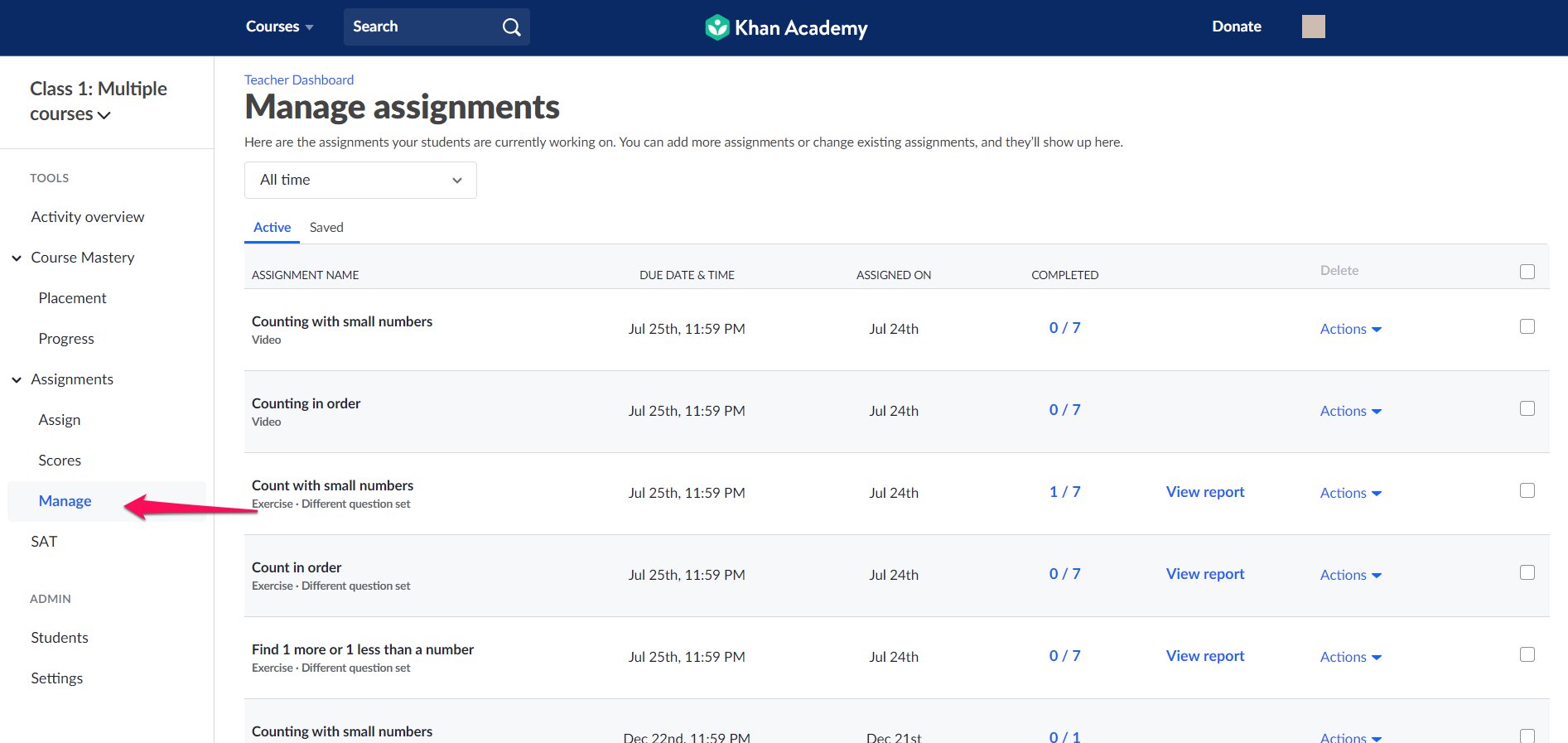
All of the assignments you've made or saved for the future can be found on the Manage page, under Assignments in the left sidebar.
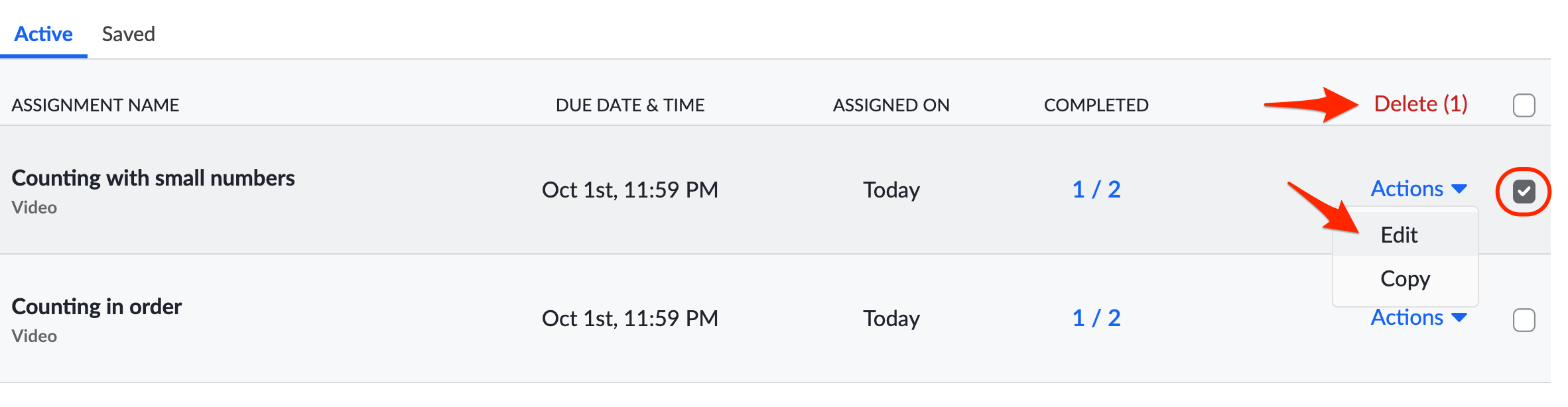
You can edit or delete assignments by selecting the assignment and then choosing either the Actions menu and then Edit or Delete at the top of the table.
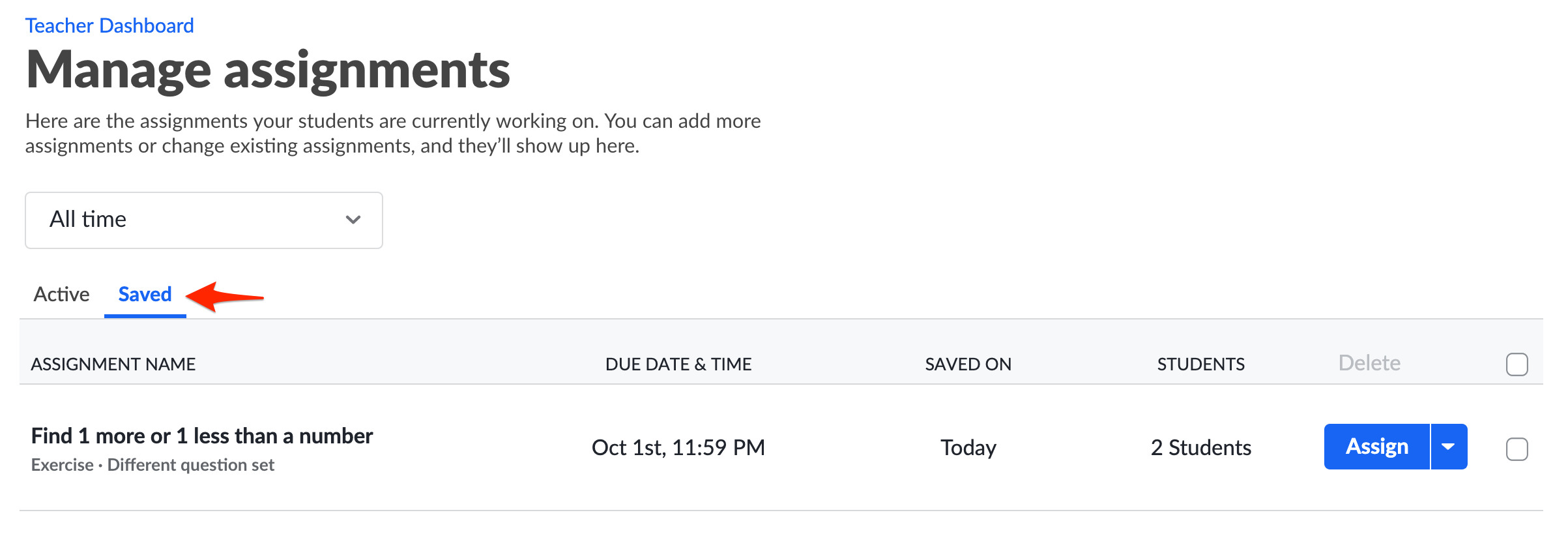
If you have assignments that you've saved as a draft but have not yet assigned, you can access them by clicking the Saved tab.
Comments
0 comments
Please sign in to leave a comment.