
An assignment can only be deleted from the Teacher dashboard by the teacher that created the assignment. In order to delete an assignment please follow these steps:
- Go to your Teacher Dashboard.
- Choose one of your Classes.
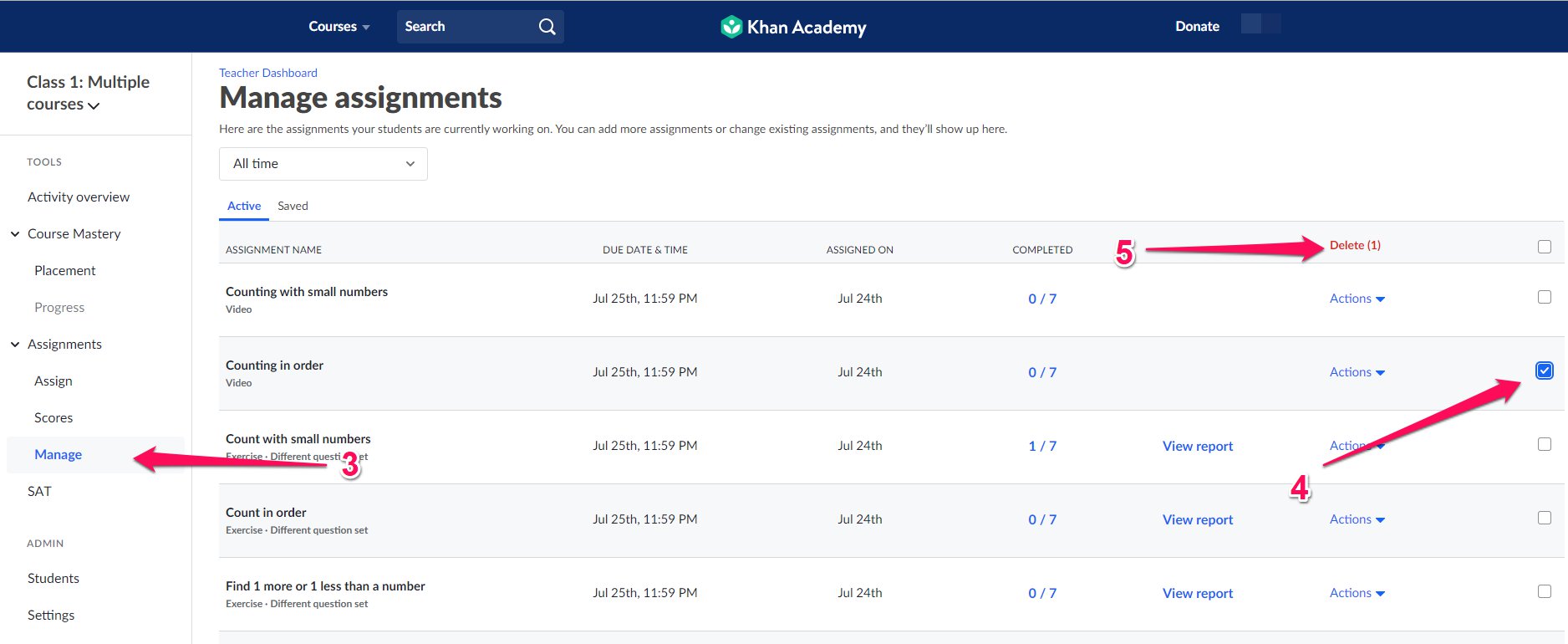
- Select the Manage page under Assignments in the left side bar.
- Select the assignment you’d like to delete by clicking the checkbox.
- Click on Delete.
Note: Deleting an assignment will remove it from both your assignment page and your students’ assignments pages.
Comments
0 comments
Please sign in to leave a comment.