
Mastery goals are able to be viewed, deleted, and edited from the Placement page
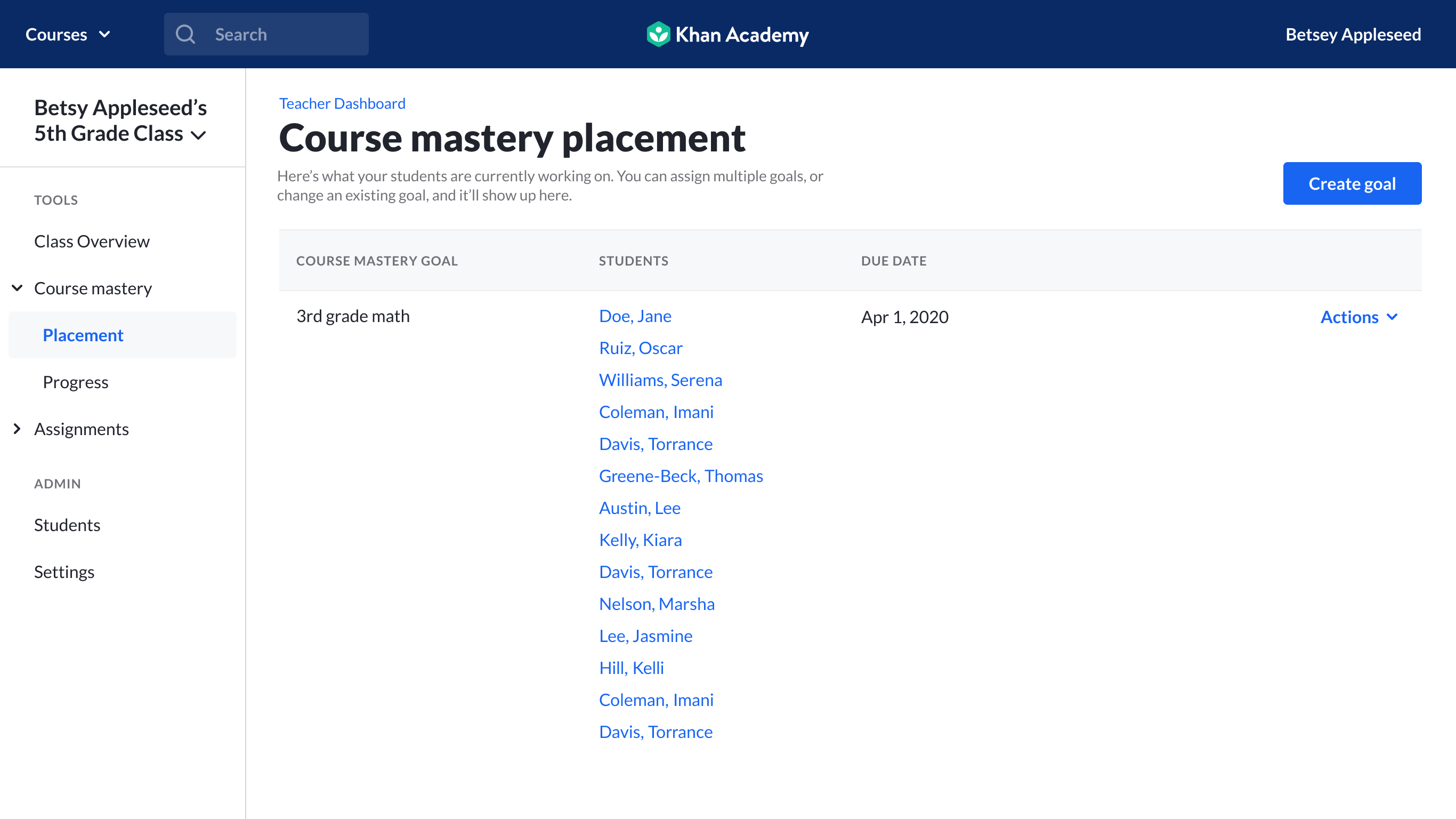
To delete a Mastery Goal:
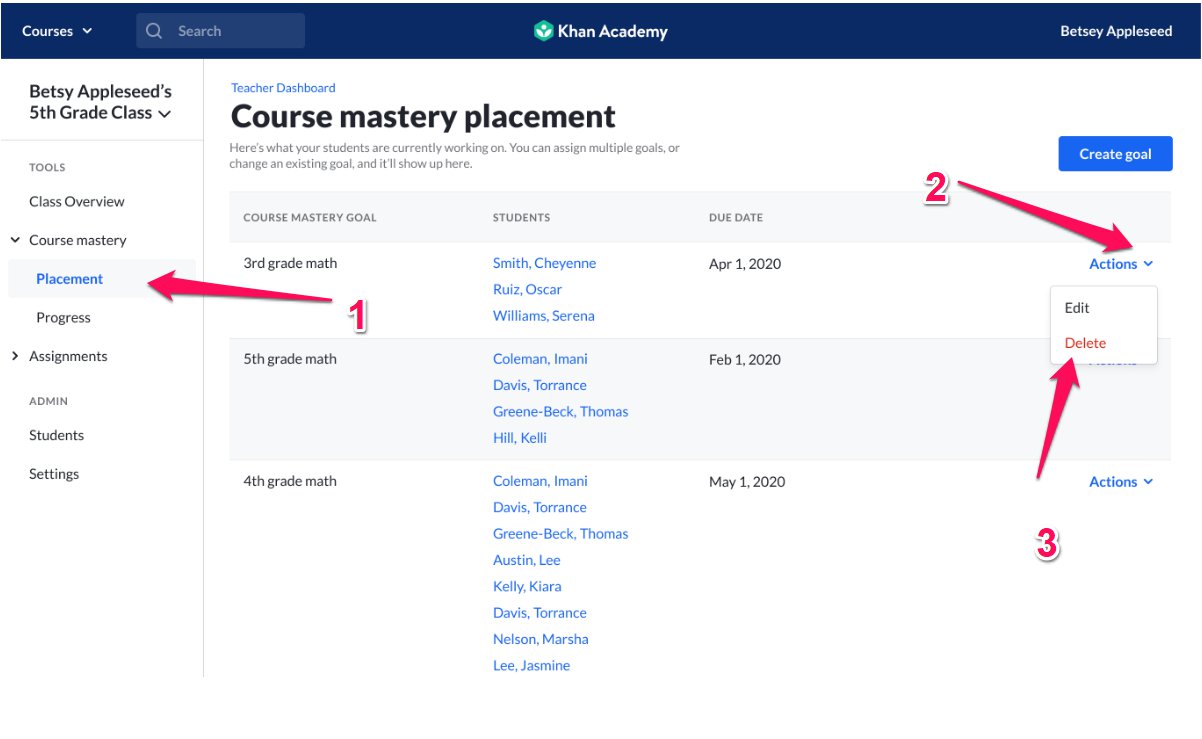
1. Click on Placement under Course Mastery in the left sidebar.
2. Select the Actions menu next to the Mastery Goal(s) you'd like to delete.
3. Click on the Delete option.
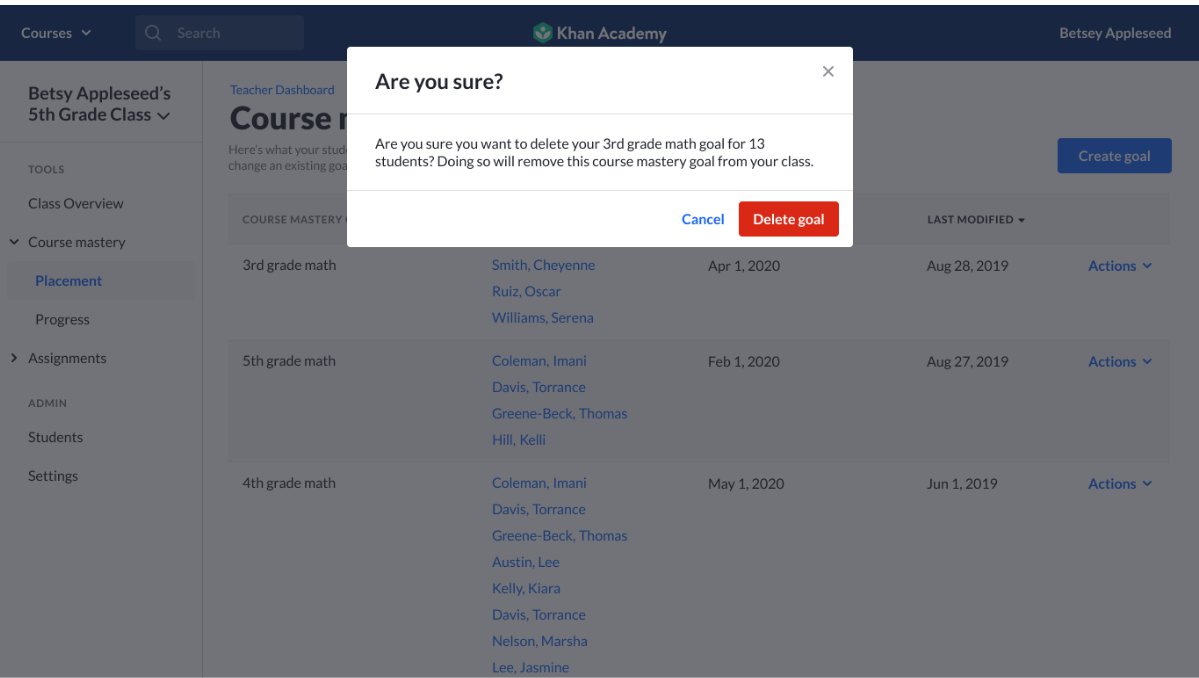
4. You'll be asked to confirm that you want to delete the goal. If so, click Yes, delete goal.
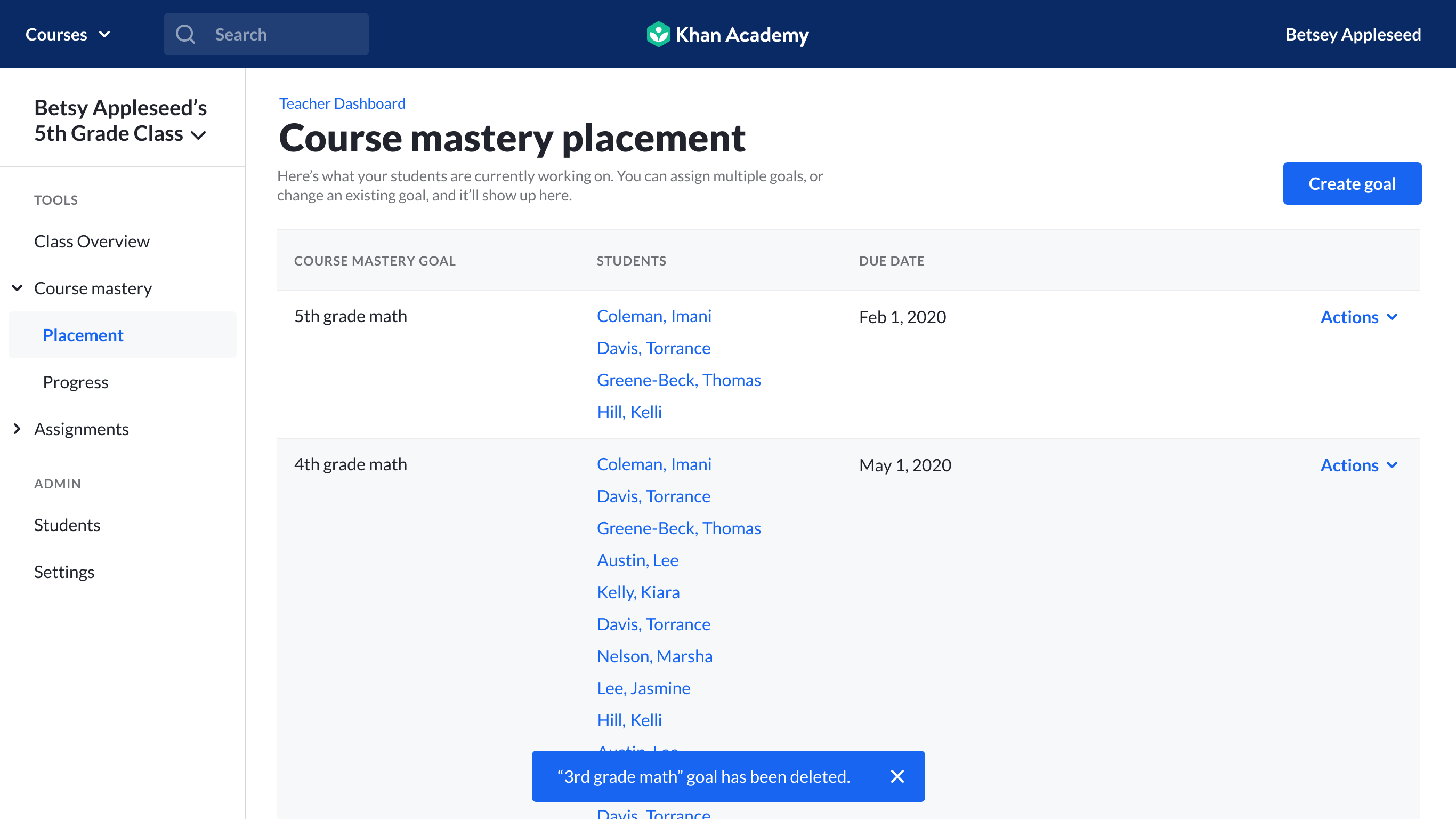
You will receive confirmation that the goal was deleted.
To edit a Mastery Goal:
After following step 1 and 2 from above:
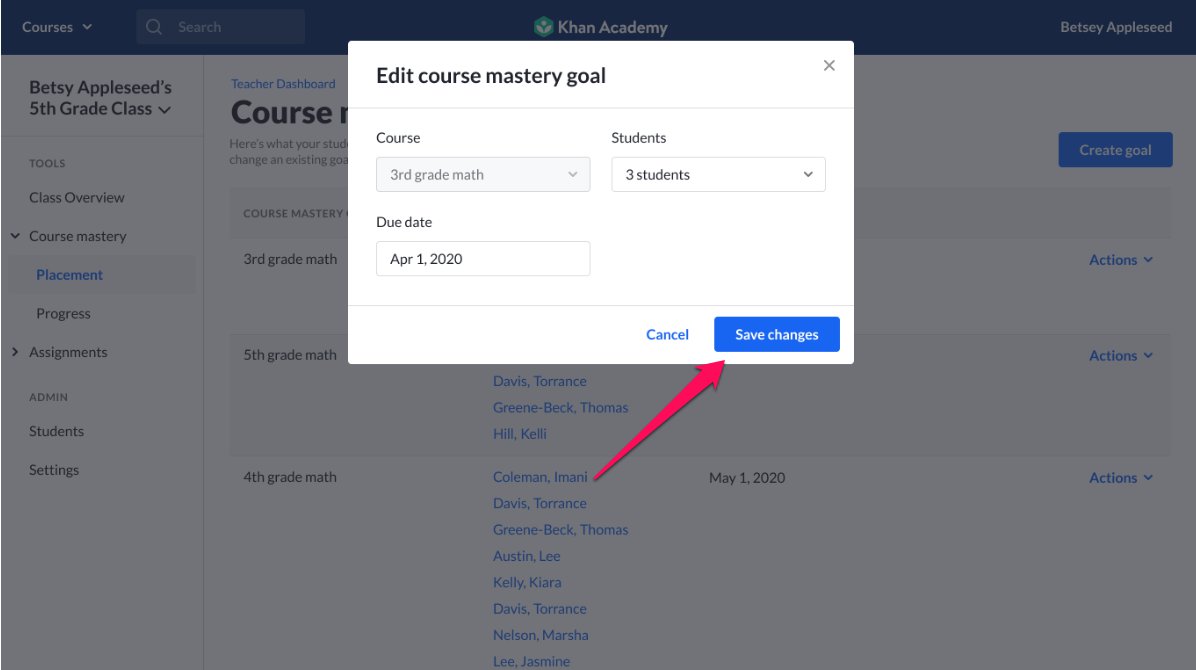
3. Select Edit from the Actions menu
4. Click on click on Save changes
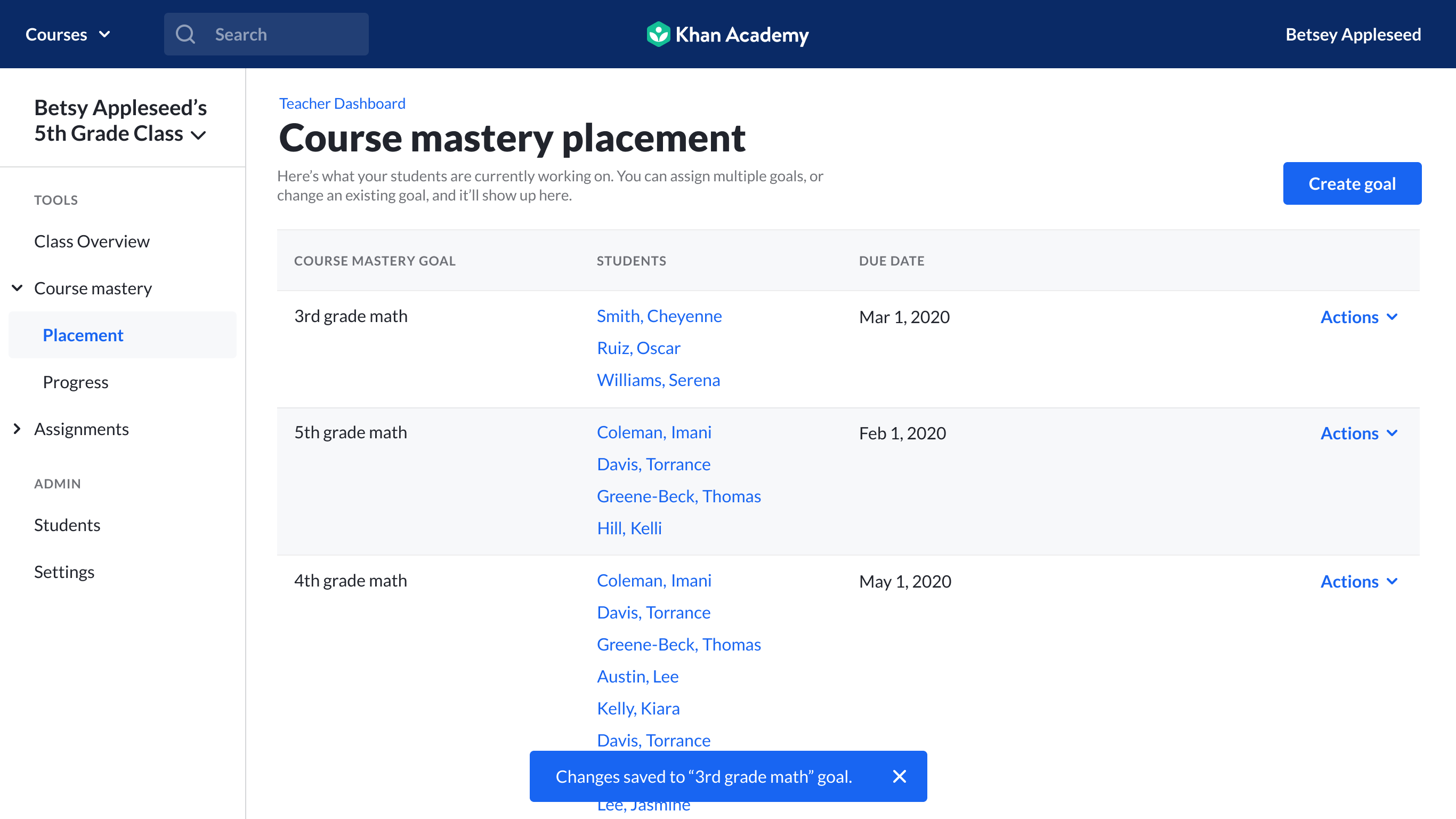
After doing so you will receive confirmation that the edits were saved.
Please note that we will be continuing to improve these new features over the coming days and weeks, and this article will be updated regularly to reflect any changes!
Comments
0 comments
Please sign in to leave a comment.