
Remembering to make time for your Udemy courses can be a barrier to your learning goals. That’s why we created the learning reminder feature, which you can set on your mobile device to receive push notifications when it’s time to resume your courses.
This article outlines how you can schedule learning reminders on the Udemy iOS and Android mobile app, and stay on track with your learning goals!
Please note: currently the learning reminders feature is only available on the Udemy mobile app, and not via Udemy.com on a browser.
How to set learning reminders on the Udemy mobile app
You can set up learning reminders on your mobile device by following the steps below.
1. Open the Udemy app on your device and tap Account at the bottom-right.
2. Next, tap Learning Reminders.
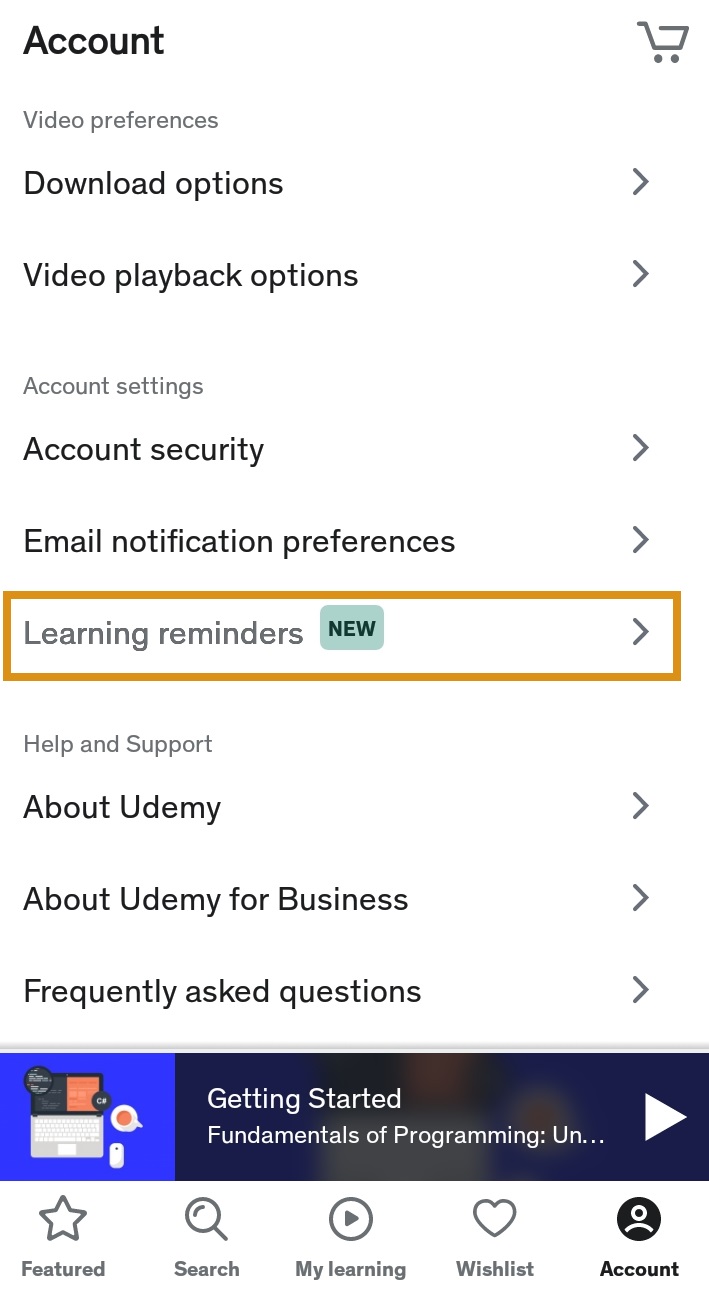
3. Toggle the reminders feature to on (note: you will be directed to the notification settings on your device to enable notifications on the Udemy app, if they are not already allowed).
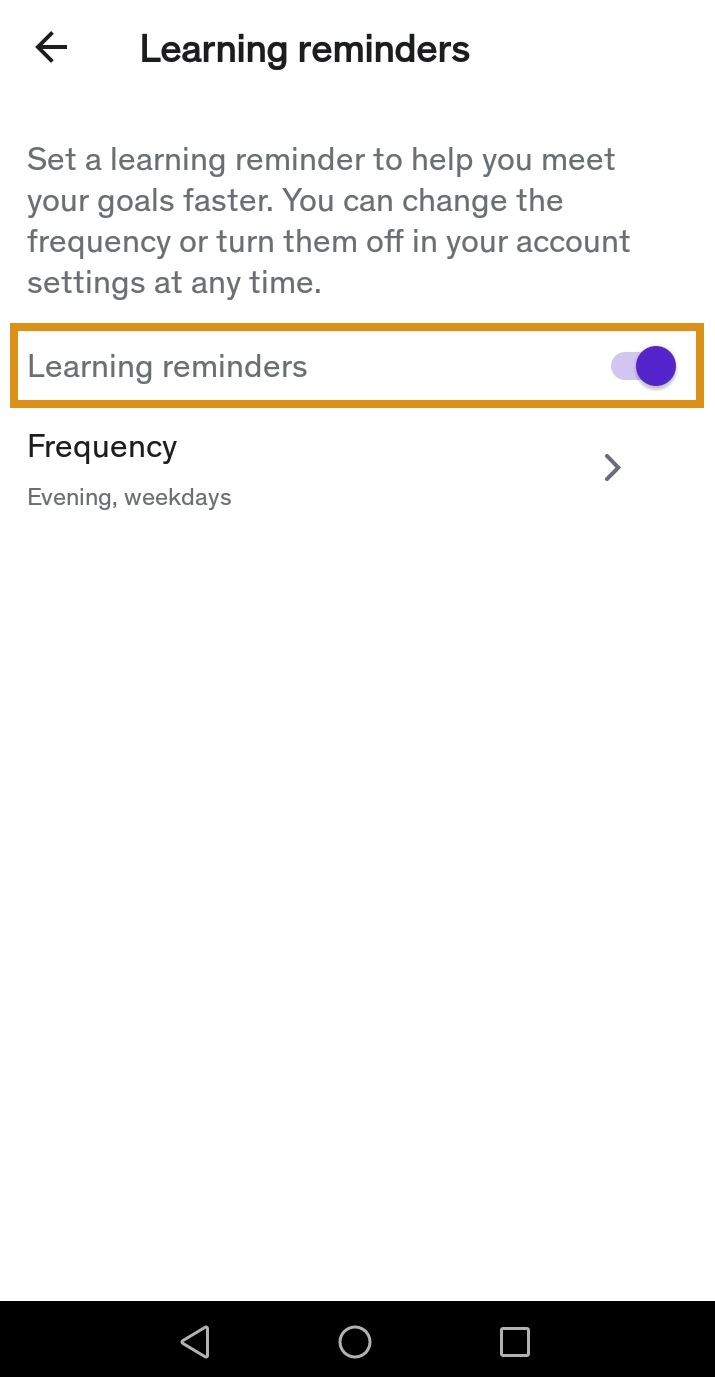
4. Tap Frequency.
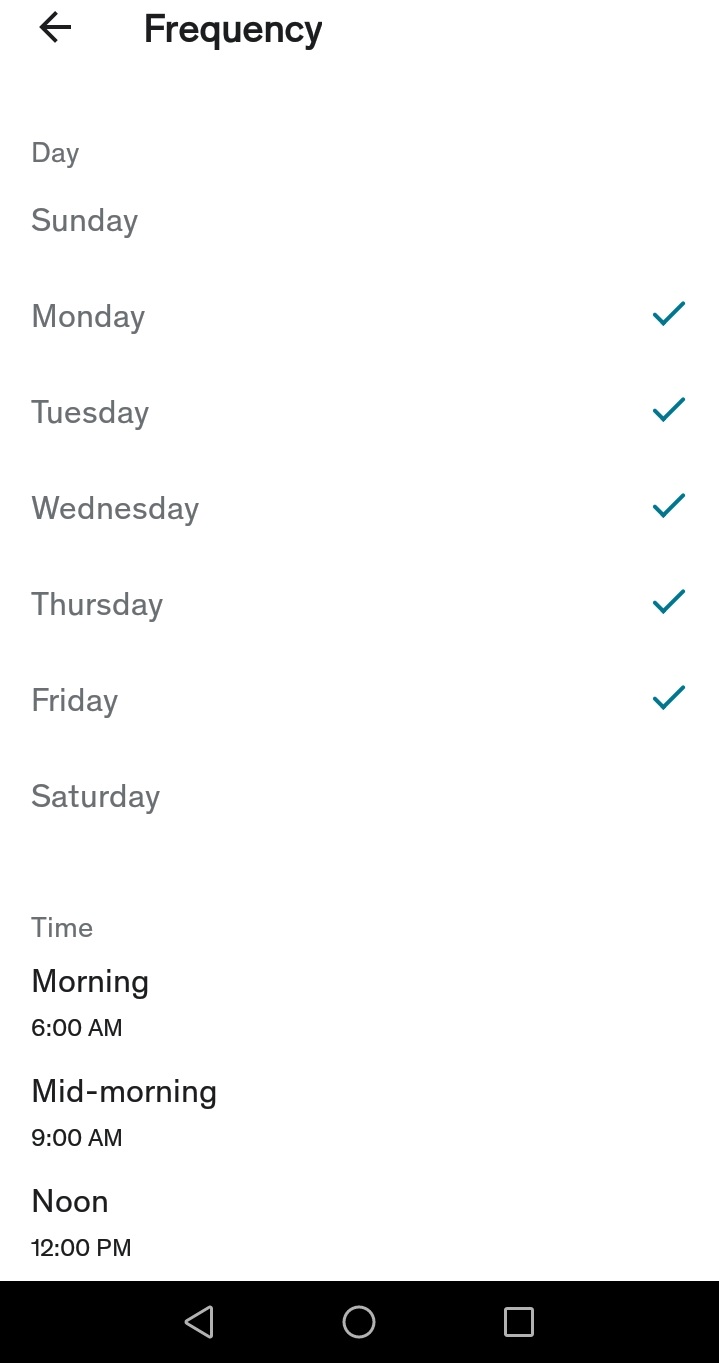
5. Select the days and times you wish to receive learning reminders.
How to change your learning reminders
If you wish to change when you receive learning reminders on your mobile device, follow these steps.
1. Navigate to the Frequency page on your device following the steps outlined above.
2. Simply select new days and times for when you wish to receive the learning reminders.
How to stop learning reminders
If you need to stop learning reminders on your mobile device, navigate to the Learning Reminders page following the steps outlined above. Next, toggle Allow reminders to off.
Comments
0 comments
Please sign in to leave a comment.